Disk Inspector (macOS)
A downloadable tool for macOS
Disk Inspector — Commodore 64/128 Disk Image Editor for macOS
A native macOS application for viewing, editing, and managing Commodore 64 and C128 disk images.
Supported Formats
D64 — 1541 single-sided (170 KB, 35 tracks, Read/Write)
D71 — 1571 double-sided (340 KB, 70 tracks, Read/Write)
D81 — 1581 (800 KB, 80 tracks, Read/Write)
T64 — C64S tape archive (Read only)
LNX — Lynx archive (Read only)
G64 — Raw GCR disk image (VICE format, Read only)
NIB — Raw GCR disk image (NibTools/MNIB format, Read only)
P00/S00/U00 — PC64 single-file container (Read only)
KEY FEATURES
File Management
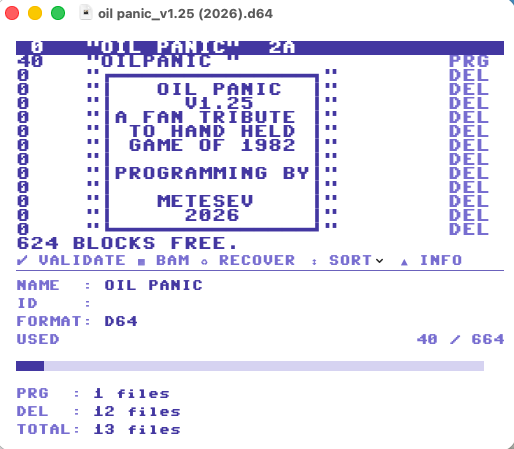
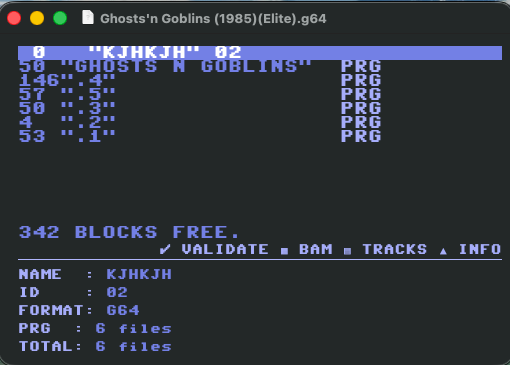
- Authentic C64 directory listing with PETSCII styling
- Drag and drop files between multiple open disk images
- Copy, paste, rename, delete, and reorder files
- Change file type (right-click → Change Type)
- Set/clear Lock and Splat flags
- Fix incorrect block counts
- Sort directory (↕ SORT button)
- Arrow key navigation with Shift+Arrow for multi-select
- Mac file import/export with full undo/redo support
Separator Library
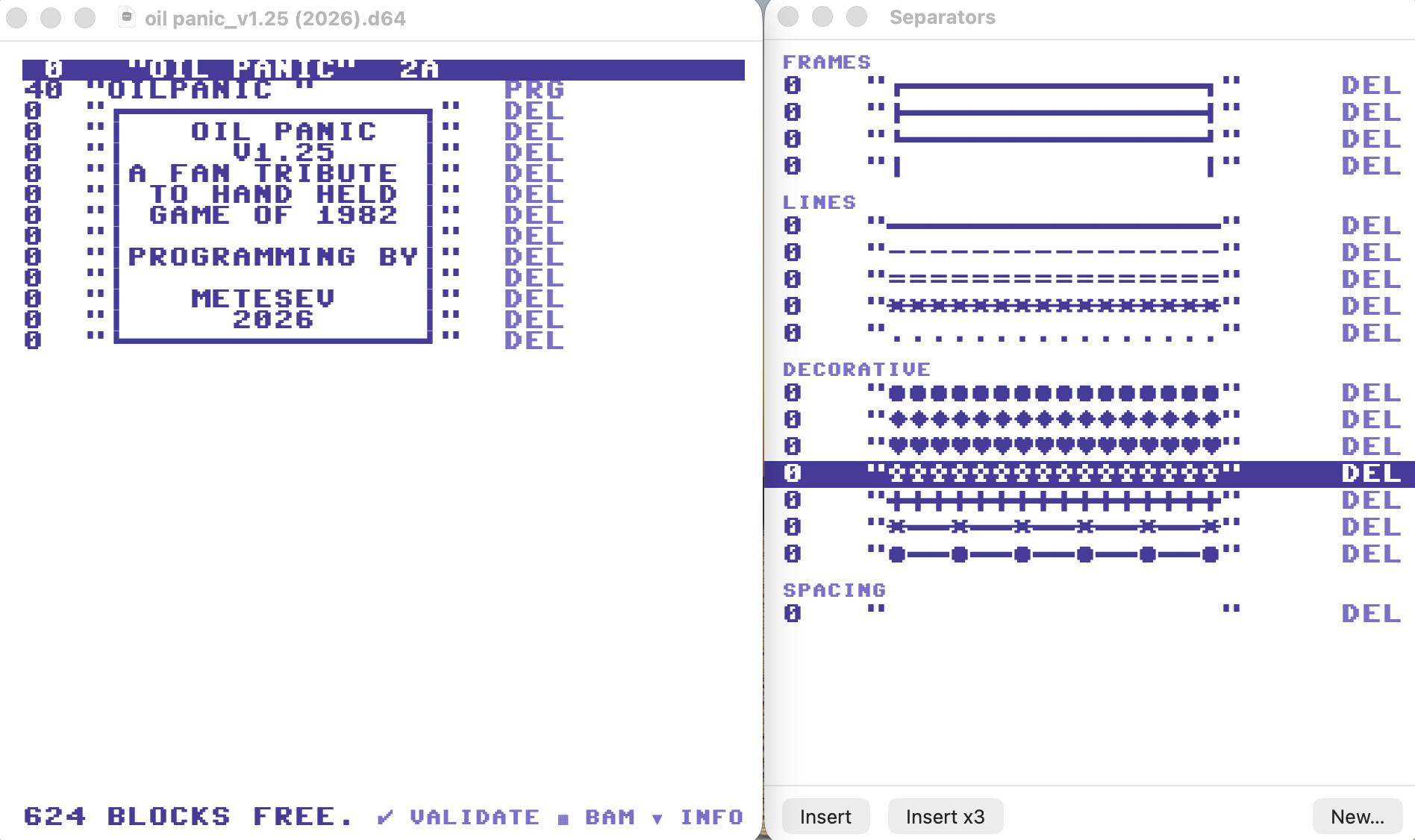
- 17 built-in PETSCII separator patterns (frames, lines, decorative)
- Create and save your own custom separators
- Drag separators from the library into any directory
- Open via Tools → Separators (Cmd-Shift-L)
Hex Editor
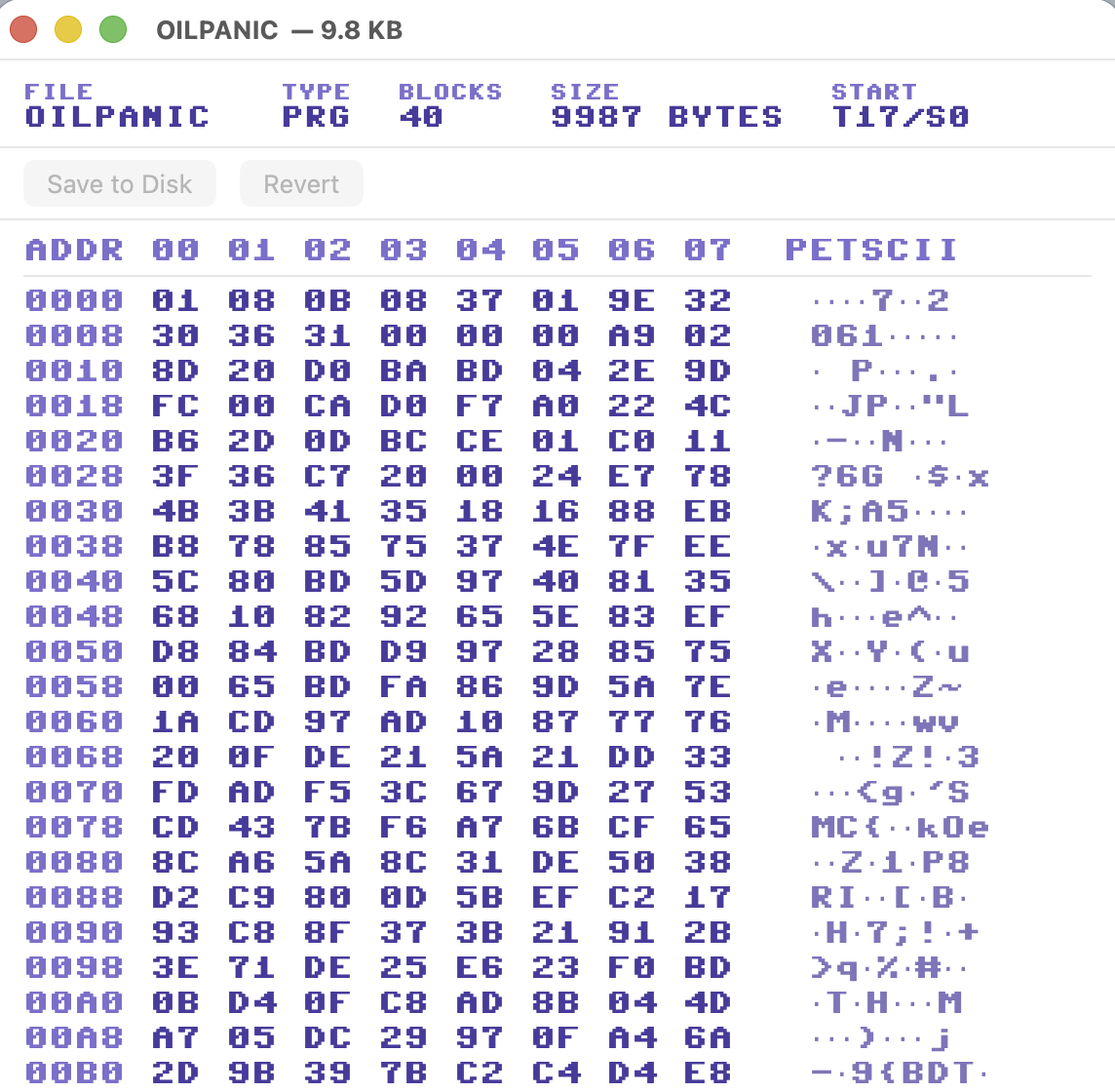
- Click any byte to edit by typing hex digits
- Navigate with arrow keys and keyboard
- Modified bytes highlighted in orange
- Save changes directly to disk image
BASIC Listing Viewer
- Auto-detects and detokenizes BASIC programs
- Supports BASIC 2.0 (C64) and BASIC 7.0 (C128)
- Double-click any PRG file to view its listing
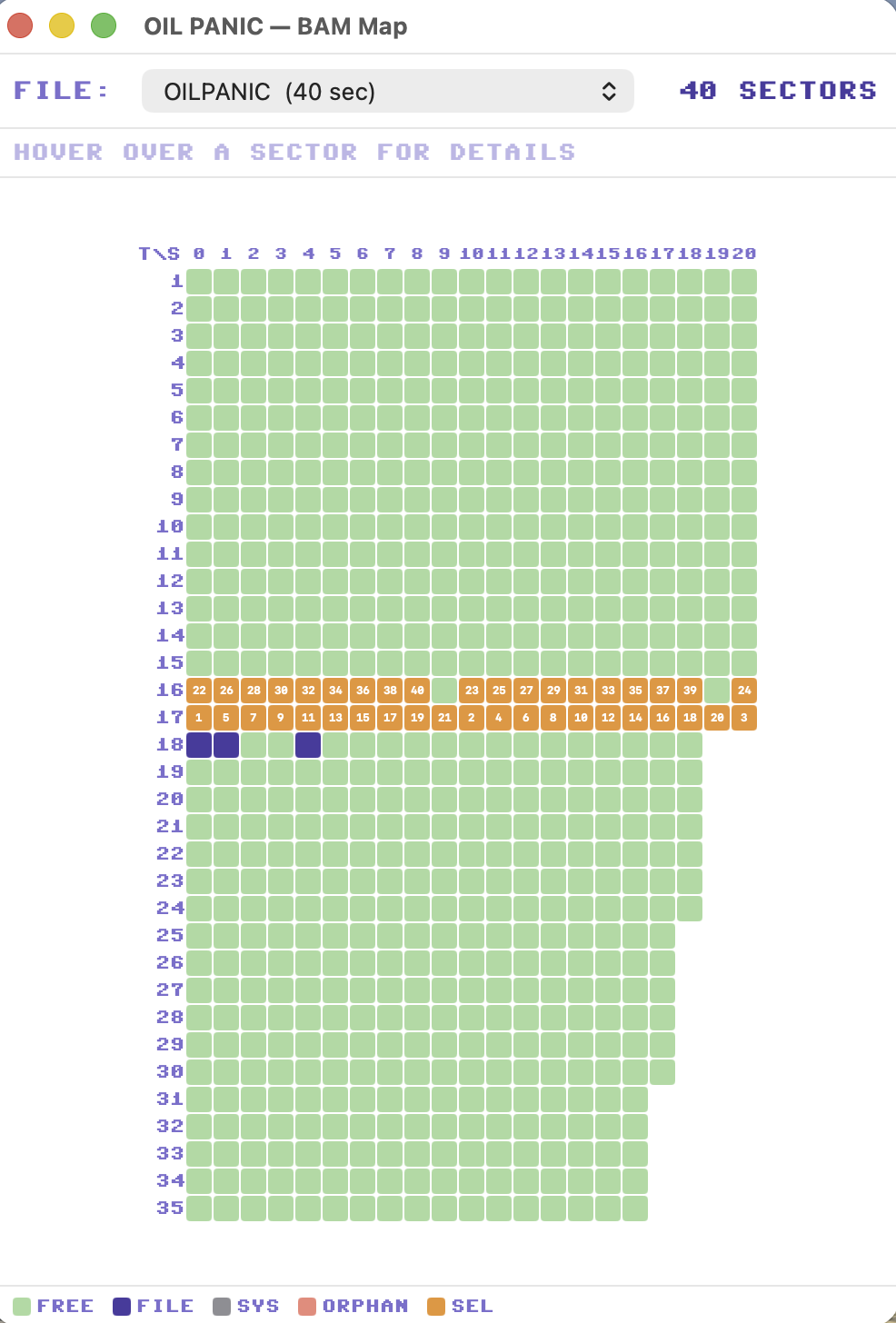
Visual BAM Map
- Color-coded sector grid for the entire disk
- Shows file sector ownership and highlights sector chains
- Sector-level hex editing
Sector Chain Viewer
- Right-click any file to trace its T/S sector chain
- Displays each track/sector link with bytes used per sector
Recover Deleted Files
- Scans for deleted directory entries with intact T/S pointers
- Restore files with a single click via the toolbar Recover button
- Undeleted files are marked in the BAM automatically
Export Options
- Export directory listing as PNG image, plain text, or styled HTML
- PNG export uses authentic C64 color styling
Quick Look Preview (New in v1.6)
- Preview D64, D71, D81, and T64 files directly in Finder with Space bar
- Authentic C64 color scheme — no app launch needed
Additional Tools
- Disk validation to detect errors and corruption
- VICE emulator integration — launch disks and files directly
- Keyboard shortcuts: Cmd-R for C64 VICE, Cmd-Shift-R for C128 VICE
Requirements: macOS 14.0 (Sonoma) or later — Apple Silicon or Intel
Download
Click download now to get access to the following files:
Development log
- Disk Inspector v1.6Apr 01, 2026
- Disk Inspector v1.5Mar 29, 2026
- Disk Inspector v1.4Mar 27, 2026
- Disk Inspector v1.3Mar 24, 2026
- Disk Inspector v1.2Mar 21, 2026
Comments
Log in with itch.io to leave a comment.
Hey this is very cool, thanks for making it!
There used to be a Mac app that added disk directory preview to Quick Look, and I've missed it for many years… Seems that you are very close to having that functionality, so I'm wondering if it would be possible to add here? :-)
Cheers!
Thanks for the feedback.
Preview feature was in my to-do list, so please download and enjoy the 1.6 version.
Cheers :)
Oh, haha nice :-D Awesome, it's perfect now! Thank you :-)
Is there an Intel build of this app? The current download has an Apple Silicon only app within the dmg.
Sorry but there is no Intel build, I don't have an Intel Mac anymore...
I have an iMac from 2010 - would sell it for that purpose, cheap! ;-)
Thank you for making this. However, I am not able to select anything through the Open file window. D64 files are greyed out for some reason...
Many thanks for trying the program.
As for your problem, I am unable to replicate the fault. I have tried in 3 different Macs and they all seem to work. May it be something about permissions in your system? Btw, I have published v1.1 for minor issues, can you try that please?
Hmm, no still not working. And it seems to have the correct permissions.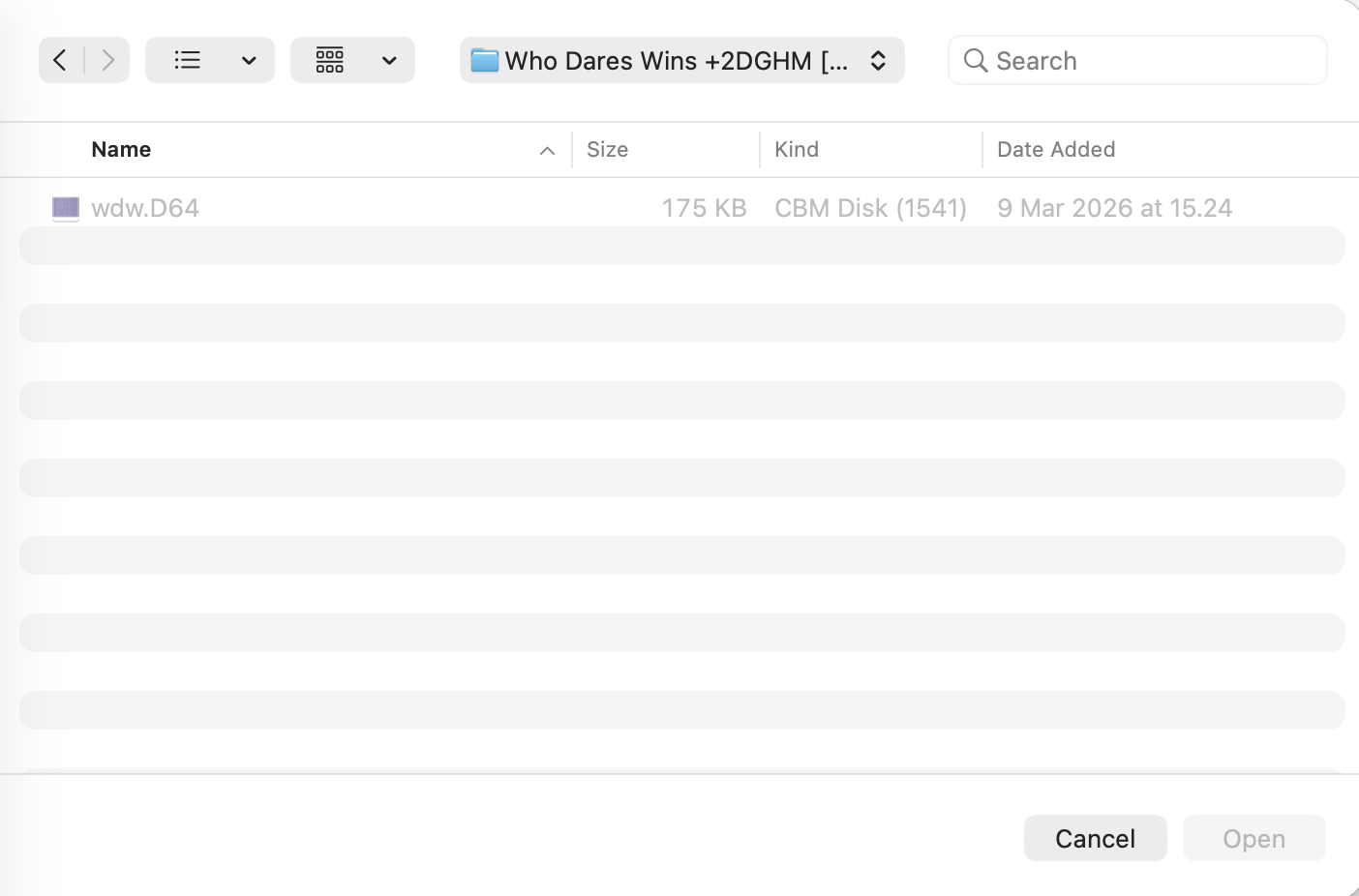
The issue is that you have another app (likely VICE) installed that already registered its own file type for .D64 files with macOS — that's why Finder shows them as "CBM Disk (1541)" instead of our type. The Open dialog was only looking for our specific type, so files registered under the other type got greyed out.
I've think I've fixed this in v1.2 — the app now accepts D64/D71/D81 files regardless of which app registered the type on your system. I appreciate if you try 1.2. Many thanks again for your feedback.
Yes it is working now! Thanks!
Three suggestions:
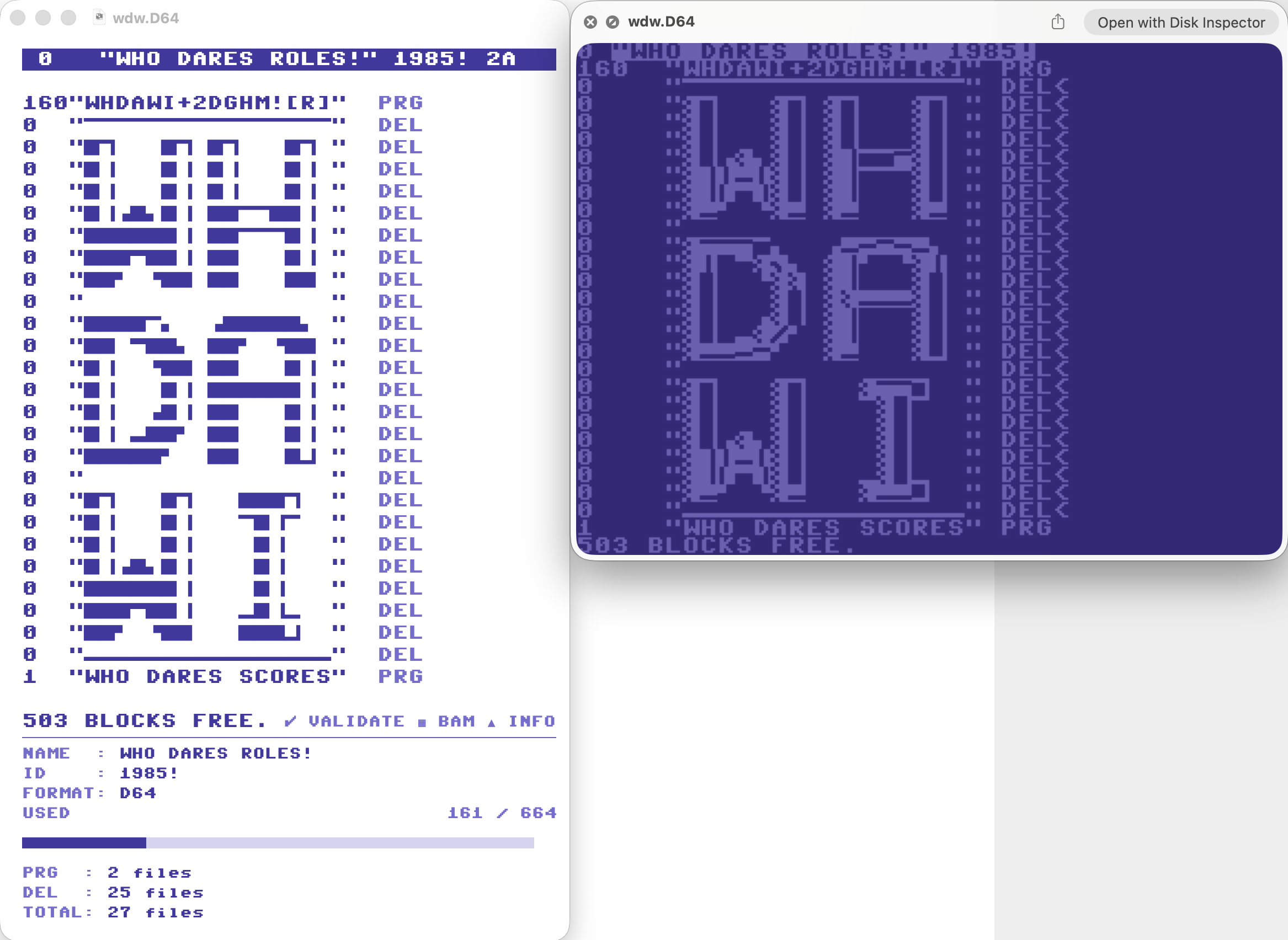
1. Customizable "Seperators" library as seen in DirMaster
2. Less space between lines, to make directory look more correct.
3. Shortcut command to launch files in VICE.